Partner+ for accountants
Powerpay Partner+ turns payroll from admin overhead into recurring revenue and cleaner year-ends. Refer clients or manage their payroll through one portal — on the platform 46,000 Canadian businesses already use.
Common challenges
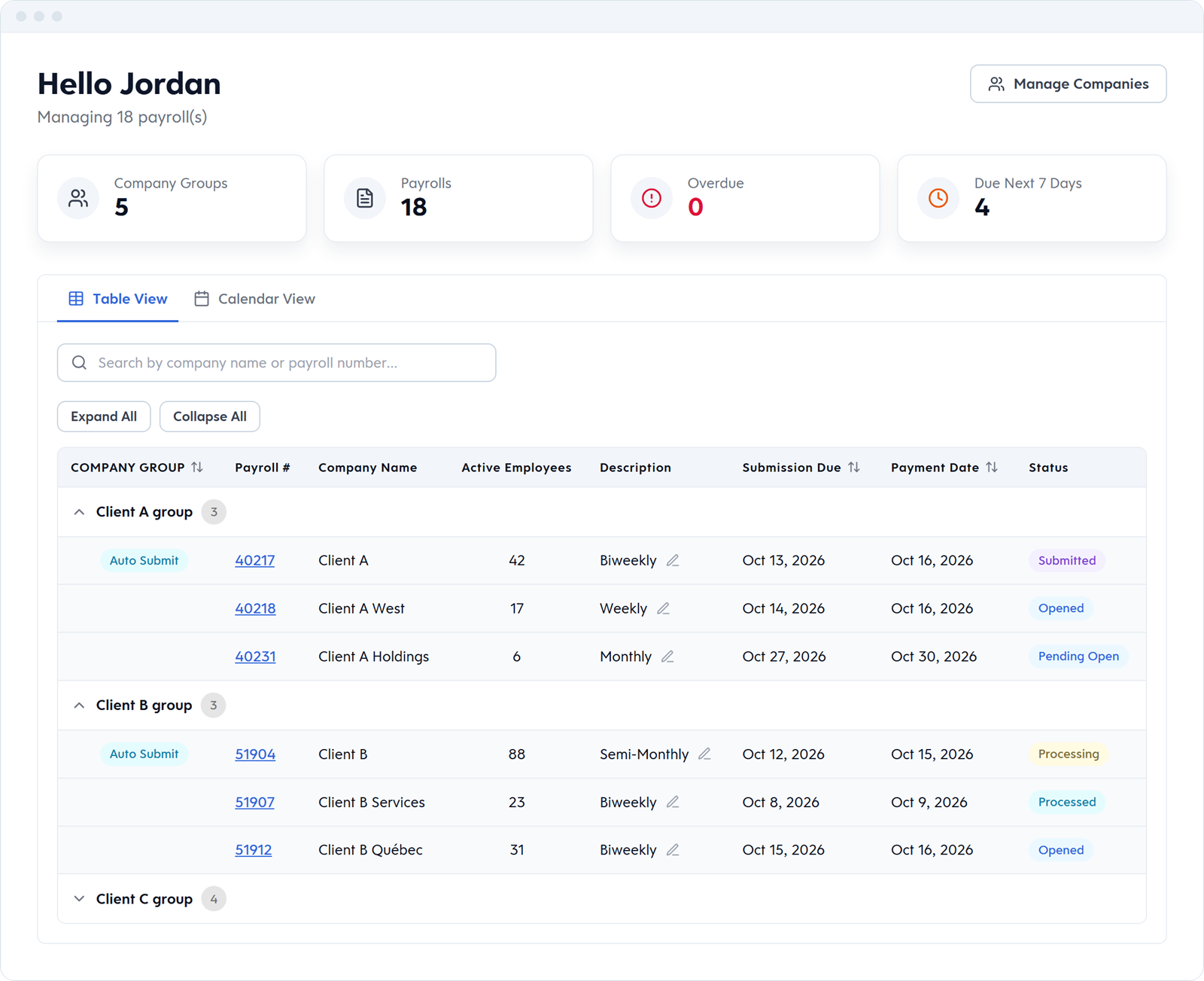
Their payroll provider doesn't remind them; they remember when the CRA writes. The follow-up lands on you, along with the penalty conversation. On Powerpay, clients can choose to have us remit to the CRA and Revenu Québec for them, and you see every client's payroll submission deadline in the Partner Dashboard.
Numbers off by a rounding, missing taxable benefits, ROE boxes filled by someone who wasn't sure. You spend January reconstructing what should have been correct in October.
You handle payroll to keep the client relationship, but you can't charge for it at the rate it actually takes. Partner+ gives you a real revenue line for payroll work — without hiring a payroll specialist.
Every referred or managed client generates a monthly share, paid to your practice on a fixed schedule. Predictable enough to actually plan against.
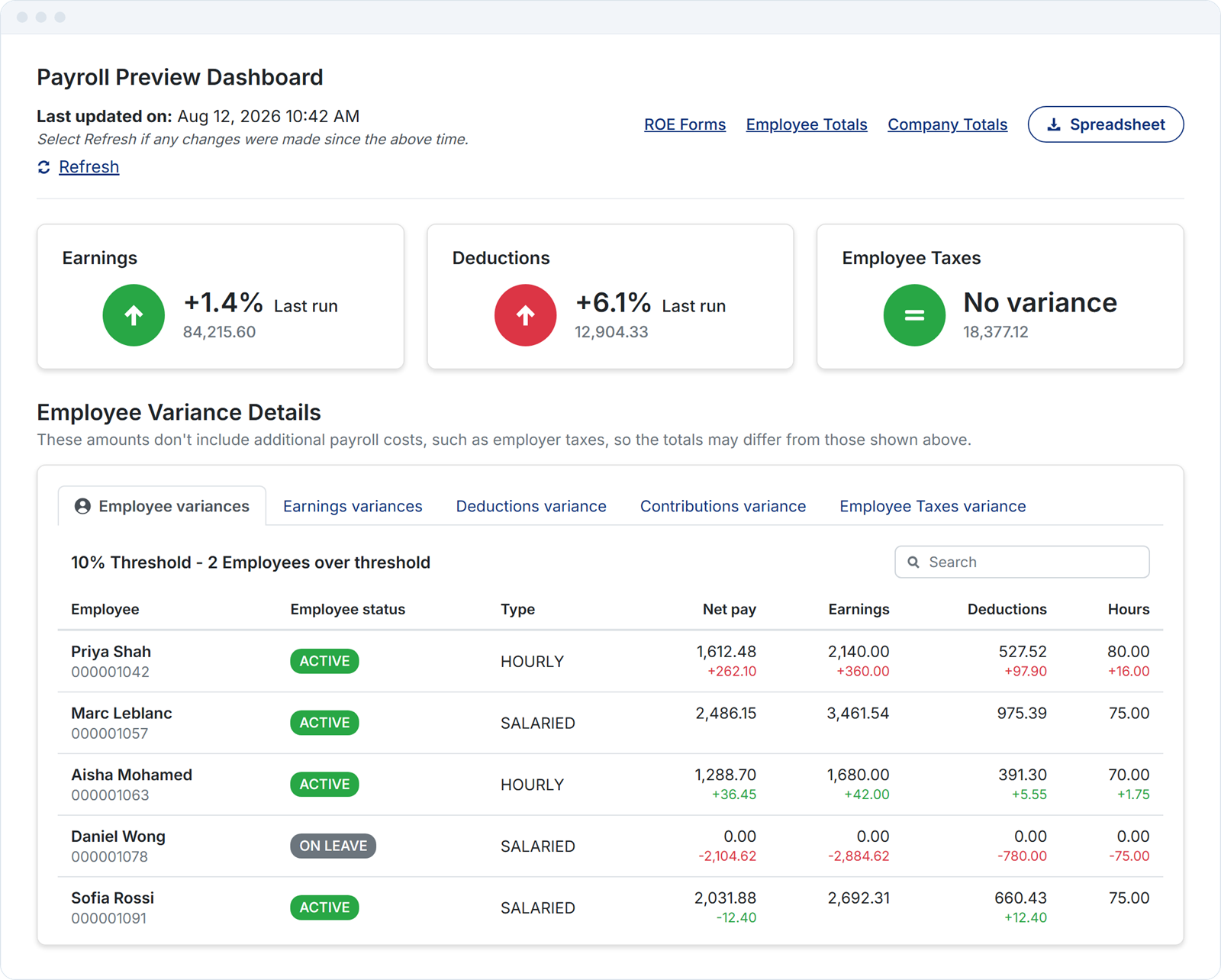
Overtime up on last run. Headcount growing toward an EHT threshold. Standard payroll, employee and year-end reports, plus the Payroll Preview Dashboard's run-over-run changes, give you the numbers behind the conversations worth having with each client.
Map each client's payroll to their QuickBooks Online chart of accounts once, then export every pay run as a journal entry. No rekeying. On another ledger? Use the standard GL journal entry report. First-time QuickBooks Online setup is done with our Service Delivery Team.
Partner Dashboard
Payroll status, submission deadlines, pay dates and active employee counts, all in one view. Organize clients into your own Company Groups and search by company name or payroll number.
Compliance depth
CRA and Revenu Québec remittances (optional), T4, T4A, Relevé 1 and RL-2 slips, ROEs, stat holiday pay calculated from approved timesheets, EHT, QHSF and HAPSET, CNESST, garnishments, pensions and union dues. Tax tables are kept up to date by Powerpay, and every Compliance Centre article shows its last-reviewed date.
Integrations
QuickBooks Online, with a journal entry exported from every pay run. On another ledger? Standard GL journal entry reports are available for every client.
No. Partner+ is a referral and managed-payroll program. Your client is Powerpay's customer of record; you don't invoice for the software.
T4, T4A, Relevé 1 and RL-2 slips are produced with each client's last pay run of the year, and you review each client's payroll before it's submitted. ROEs are created when an employee leaves. Compliance Centre articles are reviewed at least quarterly.
Handled natively. QPP, QPIP, QHSF and CNESST are built in, and Relevé 1 and RL-2 slips are produced at year-end. Partner support is available in French.
Yes. Partner+ revenue share is separate from any fee arrangement you have with your client. Most partners charge a monthly payroll oversight fee on top.
They can. Their historical data, T4s, and remittance history remain available in Powerpay for the required retention period, and they can be migrated out on request.
A short form. A partner lead follows up within two business days. No commitment before that conversation.
