Professional services
Your team may be small, but payroll still needs to accommodate confidential compensation, bonuses, contractors, compliance and year-end reporting, without becoming another deadline someone has to remember. Law firms, accounting practices, real estate brokerages and consultancies run it on Powerpay.
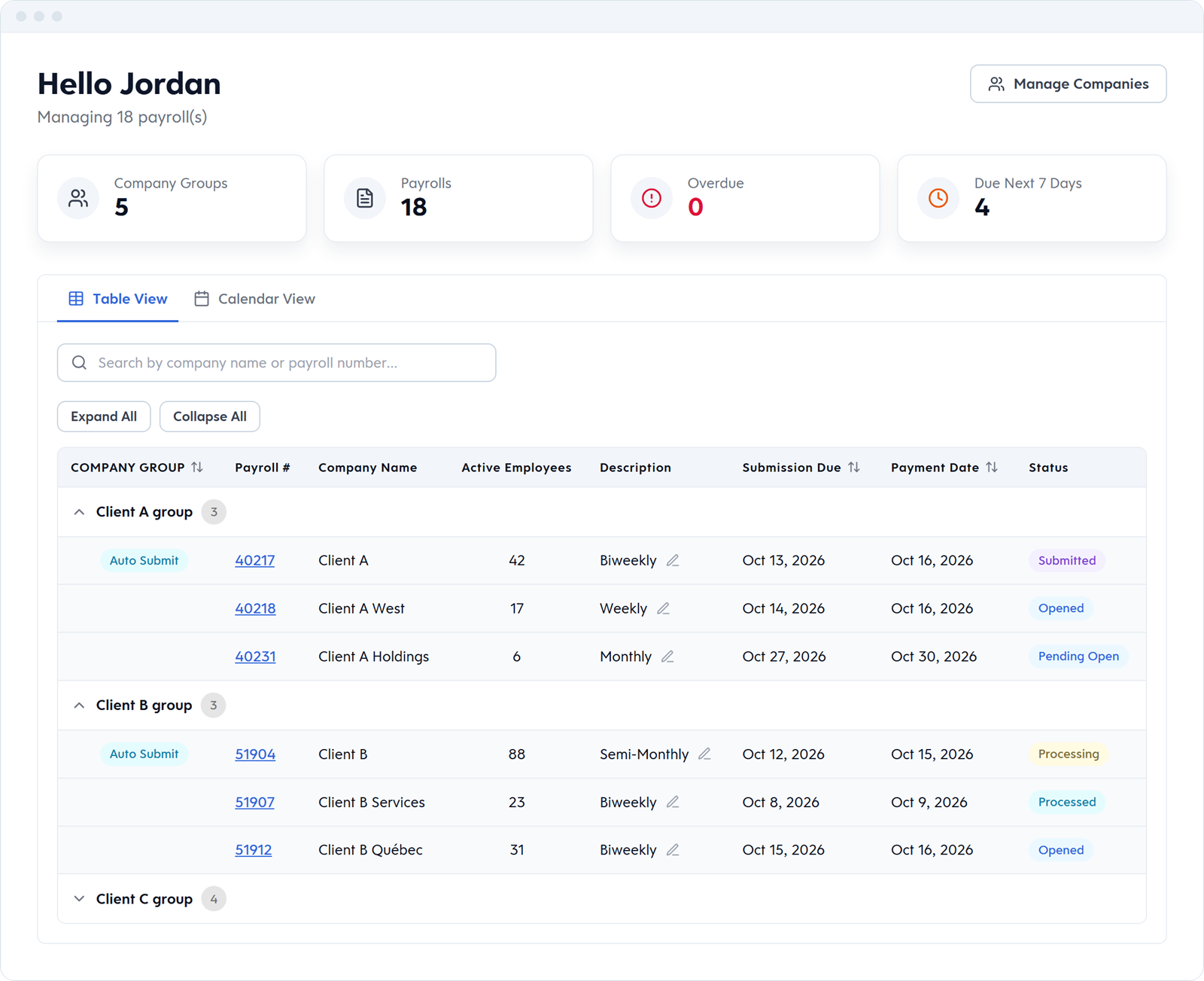
What payroll has to handle
Partner and executive pay shouldn't be visible to everyone who touches payroll. Custom security roles set which pages, controls and employees each user can see, by department or pay type.
Associates on salary and bonus. Support staff hourly. Referral fees and the occasional discretionary bonus. Each gets its own earning code, its own line on the pay statement and the right T4 box, in one pay run.
Provincial rules, T4 and T4A slips and Québec Relevé 1 reporting are built in, and tax forms can be produced with your last pay of the year once your year-end adjustments are in. Auto Submit keeps the regular run on schedule once your changes are in.
If your roster is stable and your employees have permanent salaries or hours on file, Auto Submit submits each regular run on your schedule, so you skip the click. Our team sets it up with you, and any changes are due by 4:00 PM ET the day before the run date.
We recommend Auto Submit here because professional-services rosters are stable. It's available on selected Powerpay service options, and our team sets it up for you.
Restrict access by page, by control, and by department or pay type. Your bookkeeper can run reports without opening salaried records, and the office manager can approve hourly time without seeing salaried lines. Set once, applied every pay run.
Bonuses and manual adjustments each get their own earning code, with their own tax method and CPP and EI settings. Run them with your regular pay or in an Extra Run, and Powerpay calculates the withholding.
Canadian compliance
Toronto-headquartered firms with associates in Vancouver and Montréal. Real estate brokerages with agents in three provinces. Powerpay applies the right provincial withholding, EHT and QC-specific rules to each employee based on where they work.
Common in professional services
ON EHT, BC EHT, WCB in Nova Scotia, QC QPP/QPIP/CNESST for Montréal staff.
Already running payroll somewhere else?
Powerpay's team handles the move — employee data and year-to-date balances — so you can switch mid-year without a gap in your pay cycle.
FAQ
Yes. An Extra Run sits outside your regular schedule, with the appropriate tax method applied. Deductions on an Extra Run follow your remittance setup.
Add the new hire, with their hire date and salary or hours, by 4:00 PM ET the day before the run date, and they're included in the next auto-submitted run.
Yes. Each pay frequency runs as its own payroll, for example salaried semi-monthly and hourly bi-weekly, and you switch between them from one login.
Your accountant advises which is right for your firm. If a partner is paid as an employee, Powerpay runs them through payroll with T4 earnings like anyone else. Partner draws are handled outside payroll.
Give them their own login with a custom security role. They can run reports and journal entry (GL) exports, and you choose which pages and employees they can see. If they need broader access, you can widen it.
A Canadian payroll specialist will walk through your comp structure, roster, and current process. Not a sales call — a conversation about whether the shape fits.
