Time & Attendance
Shifts captured, timesheets approved, hours sent to the pay run. No spreadsheets, no re-keying, no reconciliation on Sunday nights.
Common challenges
Timesheets come out of a scheduling tool, a punch clock, or a paper sheet. Someone types the totals into payroll. Someone else double-checks them. The number ends up right, but it's an hour a cycle and a fresh opportunity for mistakes.
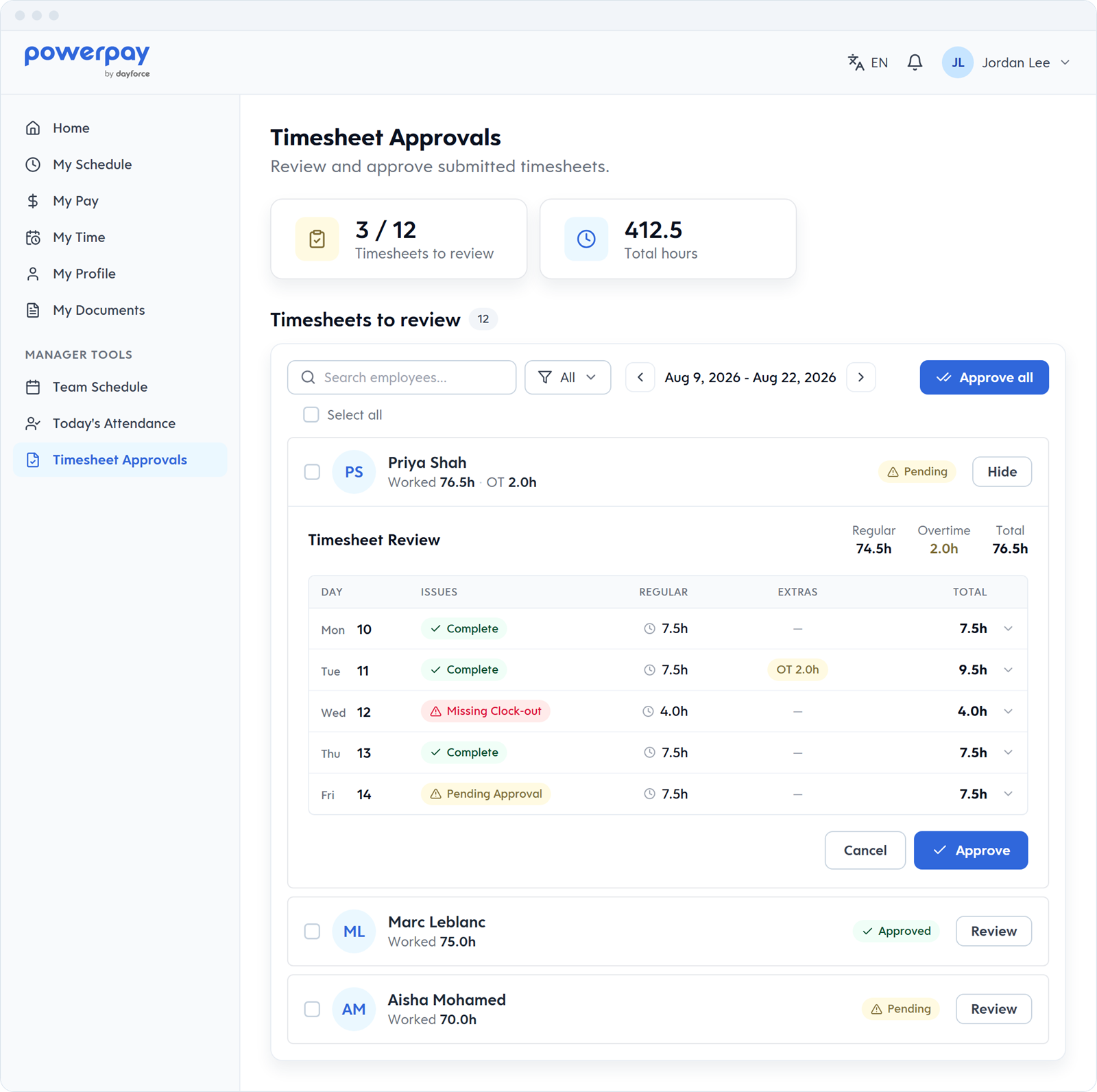
Managers are late. Timesheets sit unapproved. You block off Thursday afternoon to reconcile. In Powerpay, managers approve timesheets on the web or on their phone, and see Today's Attendance at a glance.
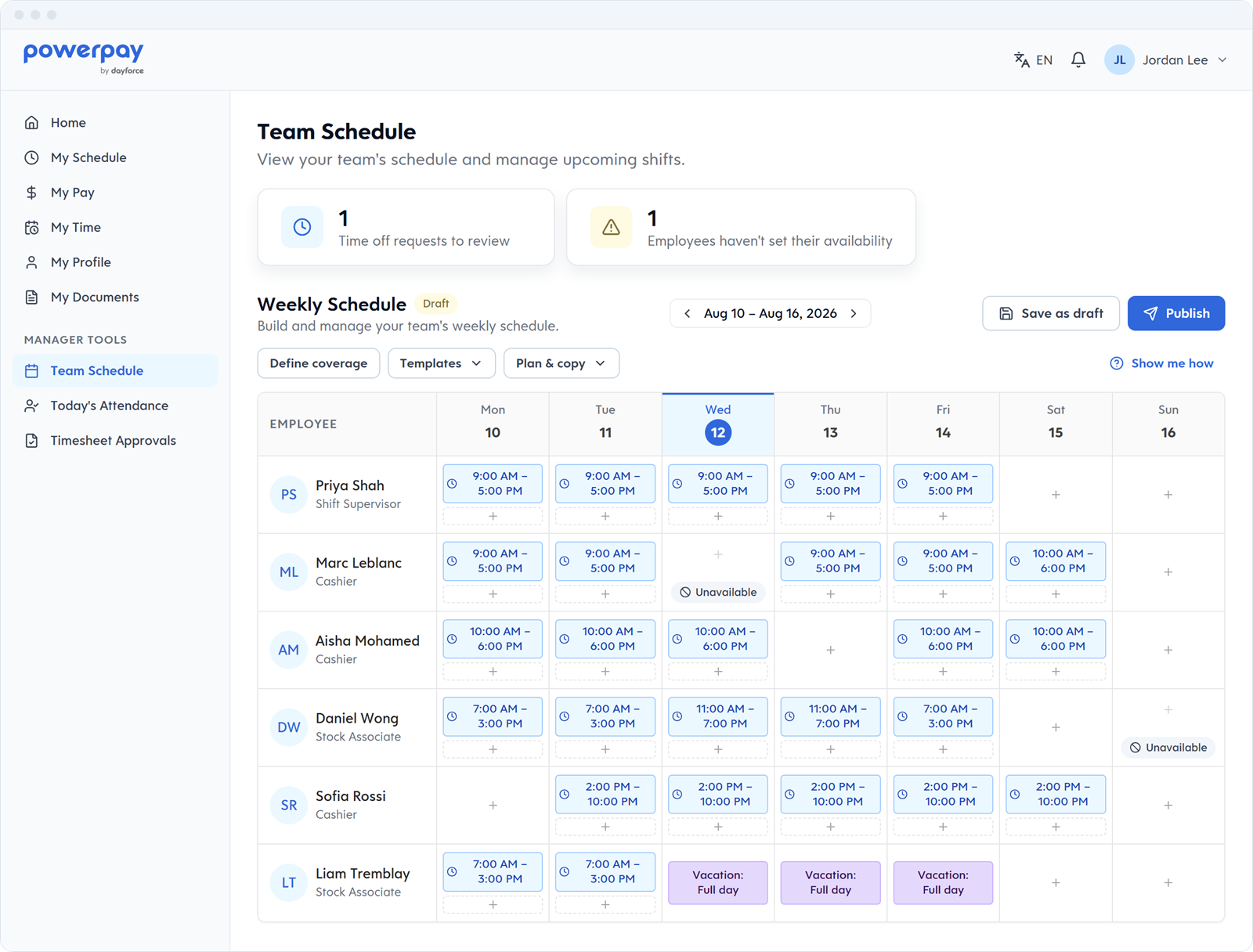
Build schedules from templates, save the week as a draft, then publish it to your team. Employees set when they can work, so you start from real availability.
Employees clock in and out and record paid or unpaid breaks on the web or the Powerpay mobile app, from wherever the shift starts. With geofencing, clock-ins are tied to the work site. Missing punches and punches that differ from the schedule are flagged for review.
Managers see Today's Attendance at a glance, correct missed clock-ins, clock-outs and breaks, and approve or deny timesheets and time off from their phone.
Build schedules from templates, save the week as a draft, then publish it to your team. Employees set when they can work, including split shifts, and managers approve the shift changes employees submit.
Details
Implementation
Earning codes, shift premiums and Statutory Holiday Settings for your provinces.
Approver structure and permissions. Trained on the timesheet view.
Employees set up on the Powerpay mobile app.
Hours captured, approved, sent to your first Powerpay pay run.
Approved hours sync straight to your Powerpay pay run as regular and overtime hours.
Already running payroll somewhere else?
Powerpay's team handles the move — employee data and year-to-date balances — so you can switch mid-year without a gap in your pay cycle.
Time & Attendance is built to work with Powerpay Payroll: approved hours sync straight to your pay run.
Powerpay calculates holiday average pay and holiday premiums from approved timesheets, for you to review. You choose eligible employees and the pay option, then confirm.
Auto Submit suits payrolls with permanent salaries or hours, and our team sets it up with you. Pay runs where hours change each period stay under your review.
No. Employees clock in on the web or the Powerpay mobile app, on their own device.
A Canadian payroll specialist will walk through your schedule pattern, provinces, and current process.
Existing customer? Visit the Help Centre
